Turn a clothing photo into a video — on a model, with sound
Upload one photo of your garment — a flat lay, a hanger shot or a packshot. Pick an AI model, write the scene in one line, and get an 8–15 second fashion ad video with voice and sound, sized for TikTok, Reels or your product page.
- Try it before you sign up
- First frame free to check
- From 6 credits a video
9 videos, each from one photo
Every clip was made in Museify from one product photo and the line under it, with nothing edited afterwards. Tap a clip to hear it.
- What
- Dresses, knitwear, hoodies and denim — and the sunglasses, bags and hats worn with them
- Who
- Women and men, 20s to 40s, size S to 18 — or no model at all
- Shape
- 9:16 · 4:3 · 3:4 · 1:1 · 16:9
- How
- Twirl, walk-in, talking to camera, a haul, sound only, a product-only orbit
The same model, the same move — one video per colour
When you test new colours of your bestseller in Museify, every colour is shown on the same model, in the same pose and light. Each one can get its own short video from that photo — so your ads compare the colour, not the shoot.
- A quick move (4 s) or a full turn (8 s), in 9:16 for Reels and TikTok
- Part of a test — on Pro and up
- No sound on these yet — for voice and sound, make a Marketing Studio video
From clothing photo to video in three steps
- 01
Upload a photo of the garment
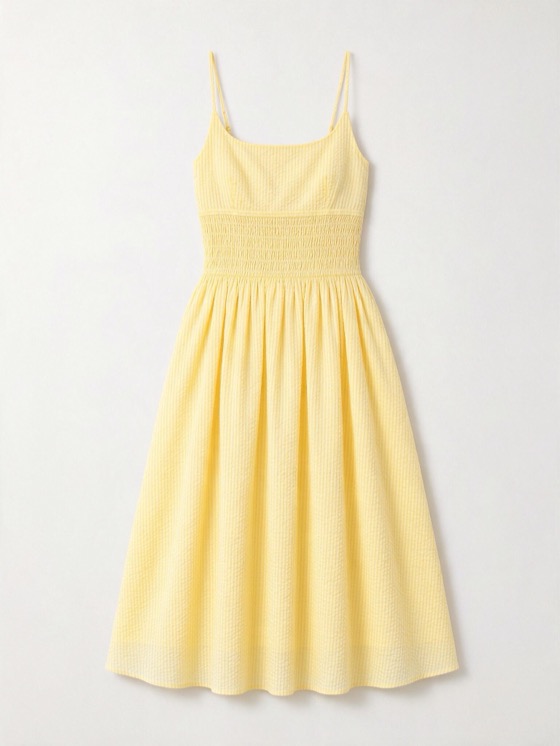
A flat lay, a hanger shot, a ghost mannequin or a photo of someone wearing it. We only take the garment — the person in your photo never appears in the video.
- 02
Pick a model and write the scene
Choose one of 12 AI models of different sizes and skin tones, or none. In one line, say where they are, how they move so the fabric shows, what they wear with it and what they say.
- 03
Check the first frame, then make it
The first frame is free, with up to 3 tries. Happy with it? Pick the length and quality and make the video — about three minutes.
- Show the whole garmentA clear, front-on photo with nothing cropped off gives the model the most to work from.
- Write a move that shows the fabricA twirl, a walk, a turn or pulling up a hood — movement is what a photo can’t show.
- Say what goes with itName the jeans, shoes or top it’s worn with — otherwise the model keeps our plain base outfit.
12 credits for 8 seconds of clothing video at 720p
One price per video, shown before you make it. The first frame is free; a failed video gives the credits back. Free comes with 20 credits a month: enough for one 720p video.
Questions about AI clothing videos
Yes. Upload the flat lay (or a hanger shot), pick an AI model and write the scene; the model wears your garment in the video. Check the first frame before you make it.
You can try Museify without signing up — fill everything in and sign in when you click make. The Free plan has 20 credits a month; a 8-second 720p video is 12 credits — enough for 1 a month.
The video starts from a first frame made from your photo, and you check that frame before paying. Busy prints and small logos can drift, so compare the result with the real garment before you run it.
Yes, in a test: each colour is shown on the same model, pose and light, and each can get its own short video (on paid plans, no sound yet). In Marketing Studio, upload each colour’s photo and use the same model and line.
Yes — sunglasses, bags, hats, jewellery, shoes and watches too. Your line says how it appears: worn, carried or on its own.
No. Museify never edits real people — the person in your photo is ignored and the video uses one of our AI models.
Make a video of your best-selling piece today.
One photo, one line, about three minutes. Fill it in now — you only sign in when you click make.
Make a clothing video →More product videos, every shape and price →Need photos, not a video? Turn a product photo into on-model photos →